
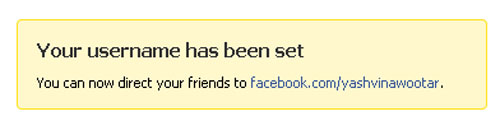
I guess most of you have been rushing to get that unique username, isnt it?
I selected yashvinawootar for my profile and yashvinblogs for my blog page, which correspond to my domain names yashvinawootar.com and yashvinblogs.com.
btw, to promote my flickr page, I have now included a link to the top page…
Were you lucky to get your usernames too?
Check out the previous post about The Thing lying in Champs de Mars since months!!!


facebook.com/preetesh
hehehehehe….
LikeLike
Got mine too:
The famous Mike!
LikeLike
😦 its available only for users who got registered before the 9th june
LikeLike
After much thought, its a big logical.
Usernames were announced on 9th july or nearly…
They have put this restriction so as to prevent any users to create fake profiles so as just to block some usernames for their own use.
I must say it, I had even thought about this so as to create a few profiles and ‘reserve’ some names so that others can’t get them 😛
Facebook was wiser!
LikeLike
I did not know about this. (shows just how much I’m into facebook 😛 )
Just got the username morinn. As usual someone else has taken morina! lol!
LikeLike
denishaa..mne ggn un avk 2 A
pa cpv changer sa?
LikeLike
Your username has been set
You can now direct your friends to facebook.com/Mayevenfun.
FACE BOOK IS OLD!!! hi5 years old have implement…Anyways enjoy LIFE IS FUN
LikeLike
Hi guys…
need some advice from you all…
how do I connect to iTunes to download stuffs for iPhone in Mauritius?
I have tried setting an account in iTunes, or on its website.. but it still ends up requesting for a credit card valid in UK (even for free downloads) and blocks any further progress…
Your comments / experience in going about this hurdle pls?
cheers
krish
LikeLike
@ krish , here is step to step guide for you.
* Launch iTunes application on your computer
* Select “iTunes Store” from the left side panel options; displays iTunes Store home page.
* Select United States as your location from the country selection drop down menu available at the bottom of the page
* After choosing the country, click on “Top Free Apps” section
* When the application’s page is loaded – click on “Get App” button; login window will appear.
* Click on the “create account” button
* Fill out US address details and click on continue. Use the Apple US retail store address by pointing your browser to http://www.apple.com/retail/ and choosing a store from the list available in the page
* After submitting valid US postal address details, iTune Store registration takes you to payment mode page. Here choose the option “None” and finish the registration.
* You will now see the congratulation page.
* You’re done! Your iTunes Store account is created without credit card and from now onwards you can download all the free applications available to US users from any country.
Note: If you try and create an account directly from the logon box, you will be missing the option called “None” in the payment page, and you end up in compulsory submitting your credit card details.
LikeLike
@sailesh
Super man.. thank you very much…
Cheers
Krish
LikeLike