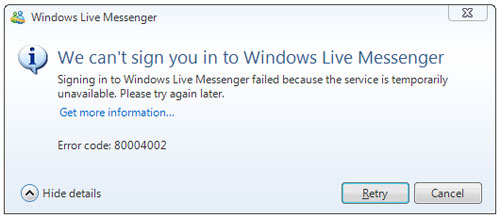
Since a few days, everyone got to have the latest msn messenger WLM 2009 to be able to sign in.
I have been downloading the new one, installing the stand alone version and even the package, pff, it simply won’t sign in! I have even followed the tips (by GeekScribes), in vain.
I am fed up of the Error Code : 80004002!

The only good thing is that I have now turned myself to free opensource software. I have downloaded aMSN which is the only software which looks close to the windows live messenger.

It is quite nice, but nothing can be better than The Msn Messenger.
So, if any among you can’t sign in, get the latest version of aMSN now so as not to miss any chat with ur friends!
Update 2345hrs ( less than 1 hr after post)
A MSN friend (Ally) sent me a file and after installation, I can now sign in!
In fact, I already installed a file (same name) but it did not work. The file Ally sent to me was of bigger size, and I guess the good one.
Click here to download it and give it a try! Thanks Ally!
So friends, this is one of the advantages of blogging… Share your problem, and someone may perhaps help you, in less than 1 hr!
 Yashvinblogs
I have no problem signing in. Try see if your ‘Internet Explorer is set to ‘Work Offline’
WLM is way better than MSN Messenger..! 🙂
Rock ON!!
LikeLike
lol mwesi mo ti p ggn sa prob la mais mo ena 1 file winrar ki mn dwnlod lerla lin bon
LikeLike
Updated!
A msn friend sent me the file and it now works! 🙂
LikeLike
lol
LikeLike
Hey Yash… sa fichier contacts-ship-neutral.cab la c koi au fait?
LikeLike
No idea ki li faire, mais ofet file la appelle contacts.msi
LikeLike
no problems signing in here with Version 2009 build 14.0.8064.206
LikeLike
I look forward to reading your blog entry about how you dumped MSN for Google Wave. I hope that some of your friends and you obtain the invitee on Sunday 🙂 – add me to your GW contact list [ fadilnet AT online DOT ie ] Thx.
LikeLike
@Fadil : Are there any invitations left for me?
Thanks for sharing lol.
LikeLike
adium, pidgin and amsn rox 😀
ps. isn’t 80004002 about your local time being incorrect?
LikeLike
@selven : lol no idea, joke?
LikeLike
Downloading the file recommended really worked for me 🙂 Thank you bro!
LikeLike