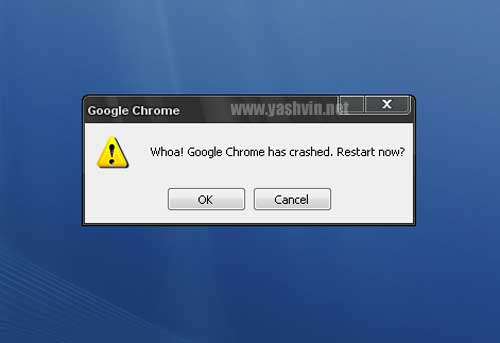
A few mins ago, while surfing a bit, with less than 5 tabs open,
BAOW! lol!

Fortunately, I had the option to recover my tabs just after the ‘restart’.
[btw, which included only 1 facebook tab]

In fact, I dont really use Google Chrome as my default browser, Firefox 3 still rules!
Even at work, I use Firefox 3 and IE 7.
Perhaps the reason for not having completely switched to Google Chrome is the lack of the loads of icons, even if some of them are not really used everyday.
 Yashvinblogs
I’ve used Firefox, Opera, Netscape, well any kind of browsers.
Now I prefer Apple Safari. It is fast, not bulky and sleek and has an easy and simple interface. Try using Safari.
I’ve tried Chrome as well but it freezes at times and your blog doesn’t open on Chrome.
Anyway, it is a Beta version and I’m sure it will top up after the official full version release because after all it’s GOOGLE!
Btw, I’ll send you a mail concerning google. It rocks! Lol!
LikeLike
@Neel: Thks for the feedback, but it loads perfectly at my place, at least here.
perhaps should check this with other ppl.
LikeLike
My top 3 Browsers:
– Google Chrome
– Firefox Version 2 !!!!!!!!!!
– Safari
These are the orders in which I use my browsers, IE lol.. don’t even need to talk about it – it’s C.R.A.P. Firefox 3 is crap also, they’ve tried overdoing it, version 2 pwns it.
Best of all these is Google Chrome – for the simplicity and speed. It gets the job done.
I’ve crashed mine a couple of time also, but hey – it’s still in BETA version. Expect THE browser with its final version.
LikeLike
I tried almost all browsers on Windows (IE, Opera, Flock, Avant, IE Pro, Chrome, Safari, Firefox, etc….). I finally settled for firefox with my 120 Add Ons and the Chromifox Skin [https://addons.mozilla.org/en-US/firefox/addon/8782]
LikeLike
I still don’t use google chrome.The first time I used that.It crashed line 5 times in a row.{Usually I have more than 10 tabs open.}Firefox still rules..I have been able to surf with more than 20 tabs open and it did not crashed.
I don’t use IE.
Else, I have tried several browers.
Avant
Safari
Chrome
Firefox
Netscape
Opera
Konqueror
Maxthon
But I finally settled for Firefox 2.0 something since the 3.0 crashes under my windows.I don’t know why..
Tushals last blog post..Missing The Presence Of Some One In My Life.
LikeLike
I checked out Chrome just after it came out.
User experience-wise, it doesn’t have much to offer, yet. I also don’t like the threading of tabs a la server application. WTF?!
Windows: FX
*nix: FX (except Safari on Mac)
Phone: Opera Mini
So, a crash and you’re all excited about it????!!!! It’s still in beta. Duh!
@Tushal – What are the main differences you noticed while trying out all the Trident browsers you’ve tested?
LikeLike
@Shah: So, a crash and you’re all excited about it????!!!!
Nobody excited here, its just a blog post lol.
LikeLike
I used Chrome when it was released… It crashed only once or twice i far a s i remember… but my blog and even your’s…and some others…depending on templates used were not loading correctly….
So i am still using Firefox…..Version 2!!! The version3 crash my old pc,….i dnt know WTF!!
Avishs last blog post..Just Blogging My Yesterday!!
LikeLike
The only time Chrome crashed…. was when I crashed it on purpose! (about:%) 😛
http://themediaguru.blogspot.com/2008/09/google-chrome-beta.html
Chrome is speedy yeah, but Google being Google, I don’t trust them concerning privacy issues. One example – Go into Options & open the Passwords manager & it’ll show each & every password on your system!!! (I don’t remember if there was the choice at install of importing from Firefox, but it seemed to me that Chrome did it automatically!) 🙂
But my most used browser is FF3, which for a very obvious reason, crashes each time I exit it! (That’s bcoz I just copied over my old FF2 profile folder!) But fortunately, it’s a “safe” crash – the cache isn’t cleared & nothing is deleted. 🙂
I don’t like Safari coz I don’t like Apple! 😛
Otherwise I just use Opera for some…. er… private browsing! 😉
IE7 is gr8 as well – use it for opening GIFs!!! 😛
IMO, Firefox 3 is the best – it’s impossible to live without addons like AdBlock, Flashgot, Taboo, etc. 😉
carrotmadman6s last blog post..I’m a PC. & I’m not a stereotype!
LikeLike
@shah–>IE suxx the most..LoL
and firefox 3 keeps crashing…
Tushals last blog post..Missing The Presence Of Some One In My Life.
LikeLike
it’s funny, the more i use Chrome, the more unstable it seems to get… crashes a lot more, can’t handle sites with flash, hangs every time i close a tab… all that to say, i’m switching back to Firefox
media boys last blog post..Remember, Remember the Fifth of November
LikeLike
i luv IE !!
LikeLike
I think Google chrome has a very bright future 😛 till now i havnt encountered any crash on vista and its pretty fast to respond compared to firefox or IE
Saileshs last blog post..When will you die??
LikeLike
Having used Chrome for a couple of weeks without any problems I got this message on Friday. Since then I’ve been unable to use Chrome as it crashes with the same error message after about 30 seconds.
Having searched high and low for a solution I found this one late last night and (fingers crossed) it seems to have solved the problem…
——————————————————————————————————————————-
If Google Chrome won’t open or stay open, try these troubleshooting steps first:
Rename your ‘Default’ folder to ‘Backup’
You can find the ‘Default’ folder in the following locations:
Windows XP: \Documents and Settings\\Local Settings\Application Data\Google\Chrome\User Data\ Windows Vista: \Users\\AppData\Local\Google\Chrome\User Data\
Move the ‘Backup’ folder
If Google Chrome continues to crash, move your newly renamed ‘Backup’
folder from the ‘User Data’ directory up one level to the ‘Chrome’
directory.
LikeLike
I am sticking with Firefox 3 it has been very stable for me and I use addons like flashgot, Downloaderhelper, AddThis.
LikeLike
I’ve been using Flock for quite some time. It was based on the firefox platform. They just released their new beta version, now based on the chromium project(or something like that. Used it for about a week, no total crash, the shockwave flash sometimes crashed( FB games). Sometimes when i close and reopen the application after some time, it gives a notification that it has crashed and if you would like to recover the open tabs.
LikeLike